
Download Facebook audio as MP3
Get audio from a Facebook video or Reel as MP3. Paste the link to check its audio.
How to prepare and save a Facebook MP3
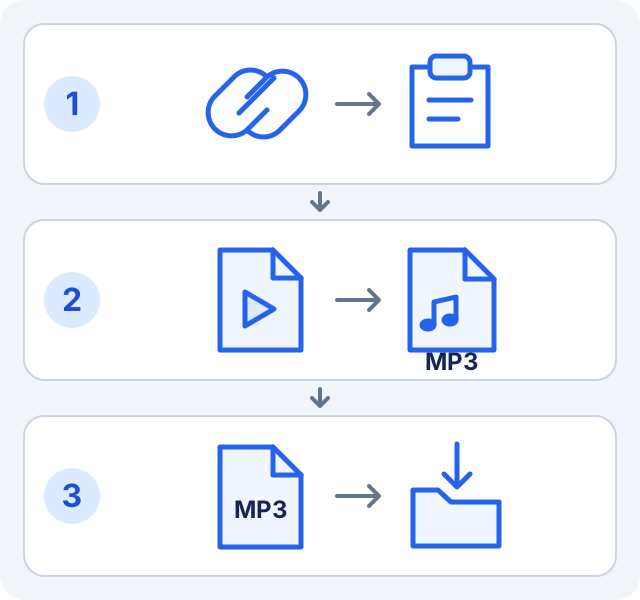
- Open a video or Reel you have permission to save. Copy the content link from Facebook’s share menu, not a profile address.
- Paste it above and select “Check link and download”. Check the title or preview matches your clip.
- This page selects “MP3 audio” under “Output format”. For multiple results, choose a video with an audio option.
- Select “Prepare file · MP3” and keep the page open. Preparation may show “Extracting MP3 audio…”.
- When “File ready” appears, select “Save file” to start the device download. Wait until the browser finishes, then open the .mp3 and check its audio.
What the audio file contains
MP3 contains the voices, music and sounds mixed in the source. It does not isolate vocals or trim clips. Conversion cannot restore lost detail. Video resolution is not MP3 quality; bitrate is not guaranteed.
Find the saved MP3
| Device | Where to look |
|---|---|
| Android | Check browser downloads or the Download folder in your file manager. Look for the .mp3 extension. |
| iPhone | Check browser downloads and the Files app in your configured download location. Open the MP3 as audio. |
| Computer | Check the browser download list for the file and its location, or the folder you chose when saving. |
If audio is missing or saving fails
| What you see | What to do |
|---|---|
| This item has no MP3 audio option | Check that the item is a video. Photos have no audio; some videos offer no accessible audio track. |
| Preparation is still queued | Wait before submitting again. Clip length, source connection and service demand affect preparation time. |
| Conversion or the service is unavailable | Try again later. Being able to watch a clip in your account does not give this service access to restricted content. |
| Expired link or interrupted download | Check your connection and free space. Paste the original Facebook link and prepare again. If an in-app browser fails, try your main browser. |
Related download guides
Frequently asked questions
Can I save audio from a Reel?
Yes, if the service can access the Reel, find audio and convert it. Check the specific link.
Why save after preparation?
Preparation creates a downloadable file. “Save file” starts its transfer to your device.
Do I need to share my Facebook account?
No. Use an authorized public link. SaveVidF does not request passwords or unlock private content.